A real pen in Windows
Windows Ink with 1024 pressure levels, tilt, hover and the side button. No driver, no administrator rights.
Galaxy Tab + S Pen
Draw on your Samsung tablet — Windows sees a real pen with pressure, tilt and the side button. No drivers. No setup hassle.
From pen to Windows.
The tablet stays a calm, dark surface while the ink lands in your drawing app — at the same moment. No buffering, no smoothing, nothing between your hand and the canvas.
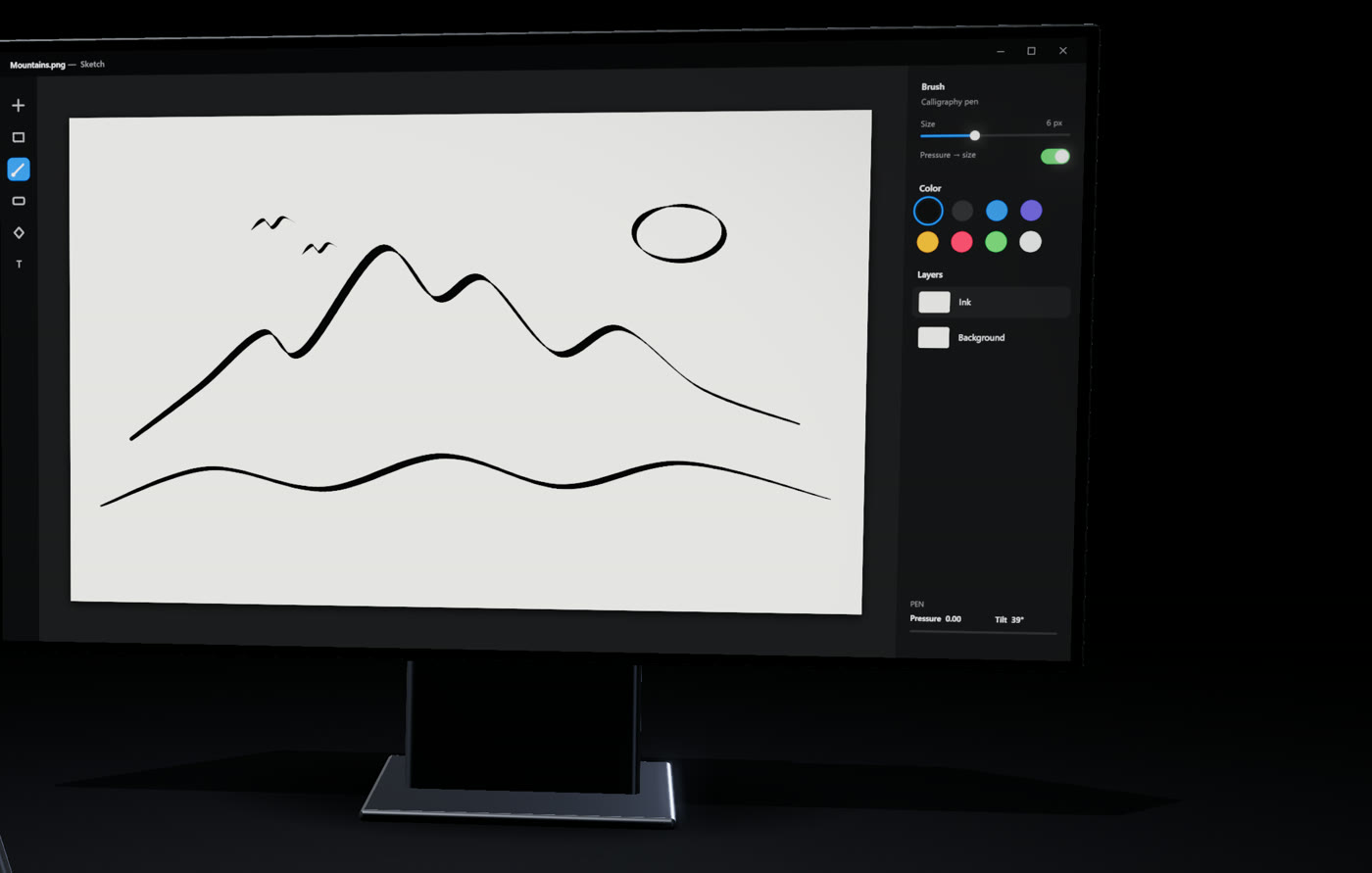
Everything a drawing tablet does.
Windows Ink with 1024 pressure levels, tilt, hover and the side button. No driver, no administrator rights.
Krita, Clip Studio Paint, SAI and other WinTab apps get 4096 pressure levels with their default settings. One optional prompt.
Measured tablet-to-Windows p95: 3.5 ms over USB, 7.3 ms over Wi-Fi. Nothing is buffered or smoothed.
Target monitor, active area, aspect ratio, a pressure-curve editor and a configurable side button.
Plug in the cable, or pair once with a 6-digit code. Reconnects by itself — and the pen is never left pressed if the link drops.
Every connection is authenticated; keys never go on the wire. Free, lightweight, open source — in English and Turkish.
Up and running in minutes.
Run the Divit installer and start it. The settings window opens; the tray icon shows the connection.
Install the Divit APK, open it and choose USB cable or Wi-Fi.
USB: turn on USB debugging and plug in. Wi-Fi: enter the 6-digit code shown on the PC. From then on it connects by itself.
Two small apps — one for each side. Free, forever.
Version v0.9.3 · SHA-256 checksums · Release notes · All releases
Yes. Divit is free and open source under the GPL-3.0 license. There are no accounts, no ads and no tracking.
Any app that supports Windows Ink gets pressure and tilt right away. Apps that prefer WinTab — Krita, Clip Studio Paint, SAI — work with their defaults once WinTab support is installed. In Krita you can also choose “Windows 8+ Pointer Input”.
No — Divit turns the tablet into a pen surface, like a classic graphics tablet. You look at your monitor while you draw; the tablet stays a dark surface.
Divit is built and tested for Samsung Galaxy Tabs with an S Pen. Other devices are not supported.
New downloads from small projects can trigger SmartScreen. Only download from this page or GitHub Releases, and compare the file with the published SHA-256 checksums.
Independent & Open Source
Divit has no ads, no subscriptions and no tracking. If it saved you from buying a drawing tablet, you can support its development with a coffee.